
Authorization
Authorization of the collection
Set one authorization for all the requests of a collection, see which requests use it, opt a request out and find where it is saved.
The collection’s authorization is the one authorization that every request set to Inherit from collection uses. Set it once, change it in one place.
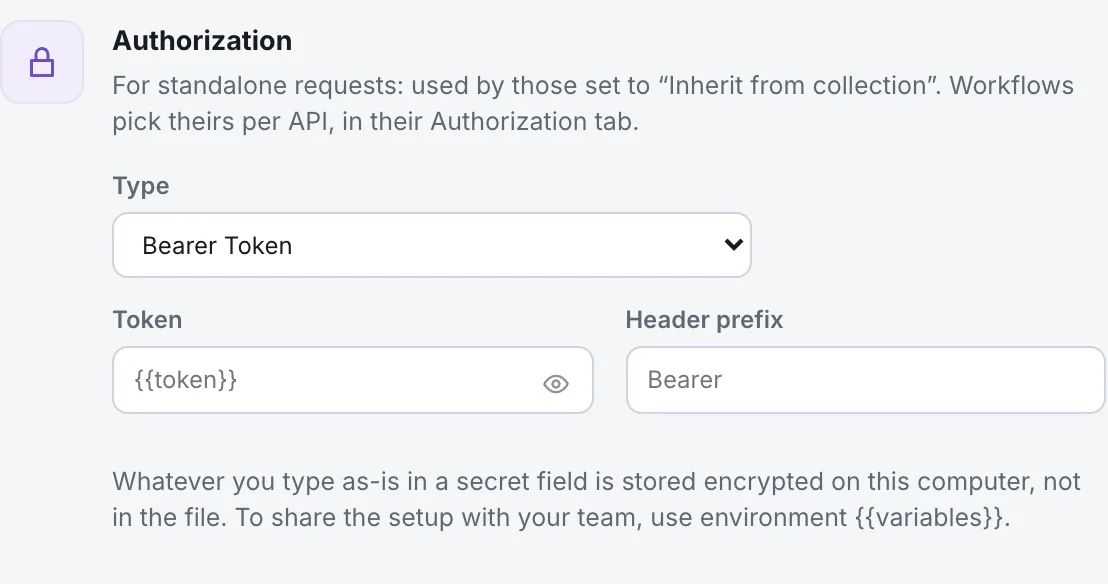
Example
Section titled “Example”Your shop API takes a bearer token for every call.
- Click the name of the collection in the sidebar. The collection overview opens.
- In the Authorization card, open Type and choose Bearer Token.
- In Token, write
{{token}}. Leave Header prefix onBearer. - Open a request that is on Inherit from collection, click Send, then open Sent request. The
Authorizationheader is there, shortened.
The card says: For standalone requests: used by those set to “Inherit from collection”. Workflows pick theirs per API, in their Authorization tab.
The card offers the same types as a request, except Inherit from collection: AWS Sig v4, Basic Auth, Bearer Token, Digest Auth, NTLM Auth, OAuth 1.0, OAuth 2.0, WSSE Auth, API Key, Akamai EdgeGrid and No Auth. Each is explained in its own page, for example Bearer Token.
A new collection starts with No Auth, so inheriting requests go without authorization: Requests that inherit from the collection are sent without authorization.
Which requests use it
Section titled “Which requests use it”- Every HTTP and GraphQL request whose Type is Inherit from collection. That is the default for new requests of those kinds.
- A request shows it: Uses the collection’s authorization: Bearer Token.
- In Headers, the
Authorizationrow reads Inherited from the collection · Bearer Token. - Workflows do not use it, unless an API is set to Inherit from collection in the workflow’s tab.
Make a request opt out
Section titled “Make a request opt out”- Open the request and click Authorization.
- In Type, choose No Auth (send nothing) or another type (use its own).
OAuth 2.0 in the collection
Section titled “OAuth 2.0 in the collection”With OAuth 2.0, the card has Get new token and Clear token. All inheriting requests share one token. Changing the collection’s authorization discards it. See OAuth 2.0.
Where it is saved
Section titled “Where it is saved”In collection.yaml, in the folder of the collection, under auth. Secrets typed as-is are left out of the file:
version: 1name: Shopauth: type: bearer token: "{{token}}" prefix: BearerWith No Auth, the auth key is not written. A secret typed as-is, for example abc123 in Token, is stored encrypted on your computer and the file keeps only type: bearer. Your teammates will not receive it. Use {{token}} and fill the value in each environment. See Secrets.