
Authorization
API Key
Send a fixed key in a header or in the query of the URL, with the exact fields and what Luvin sends.
1 min read# API Key
import { Tabs, TabItem, Aside } from '@astrojs/starlight/components';
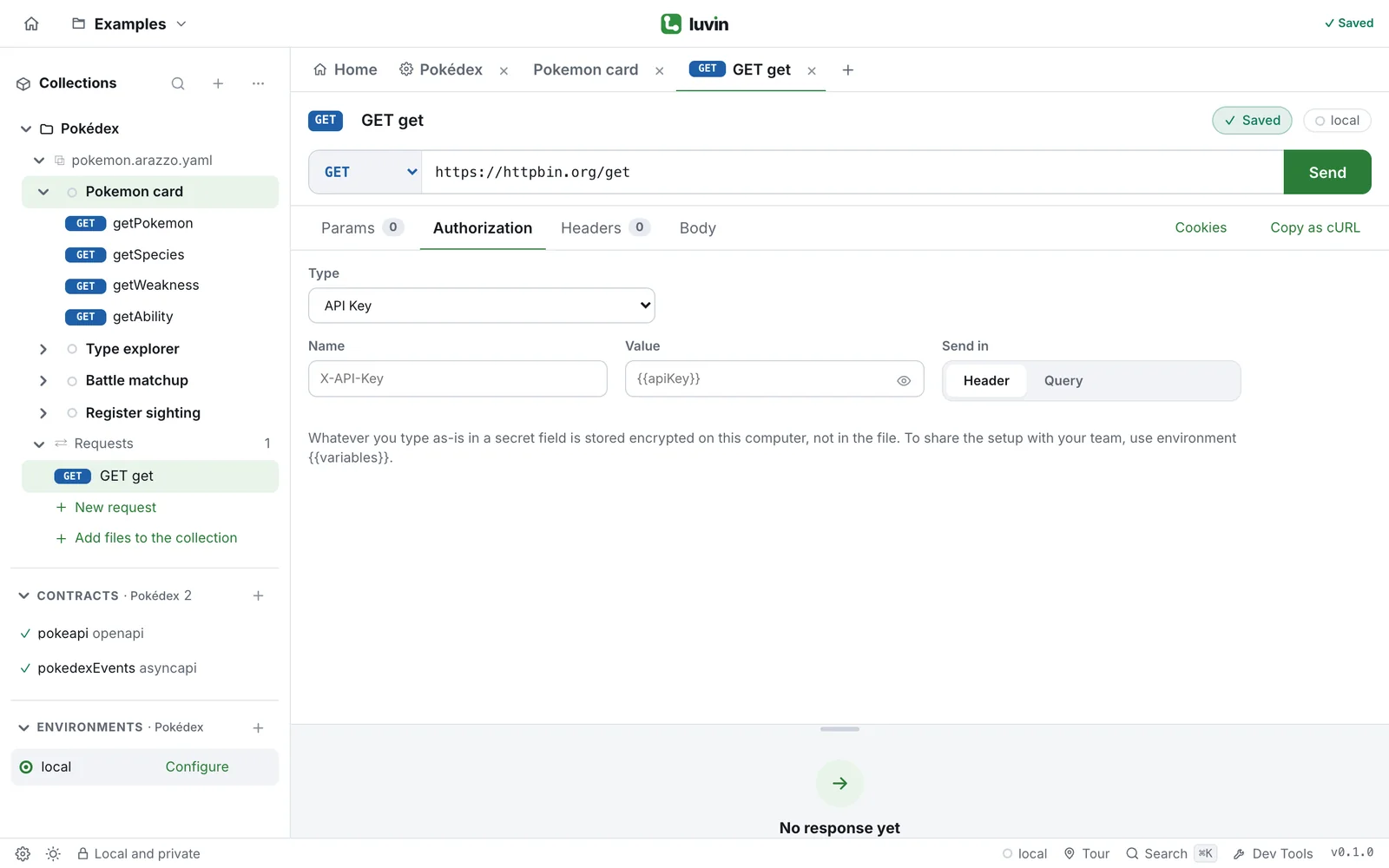
Use **API Key** when the API documentation says "send your key in the `X-API-Key` header" or "add `?api_key=` to the URL".
## Example
Request `GET https://httpbin.org/get`, which echoes what it receives.
<Tabs>
<TabItem label="In a header">
**Type** `API Key`, **Name** `X-API-Key`, **Value** `k-123`, **Send in** **Header**.
Luvin sends:
```text
X-API-Key: k-123
```
httpbin echoes it in `headers`:
```json
"X-Api-Key": "k-123"
```
</TabItem>
<TabItem label="In the query">
**Type** `API Key`, **Name** `api_key`, **Value** `k-456`, **Send in** **Query**.
Luvin sends:
```text
https://httpbin.org/get?api_key=k-456
```
httpbin answers:
```json
{
"args": { "api_key": "k-456" },
"url": "https://httpbin.org/get?api_key=k-456"
}
```
</TabItem>
</Tabs>
## Fields
| Field | What to write |
|---|---|
| **Name** | The header or query parameter name, for example `X-API-Key`. |
| **Value** | The key. A secret field: hidden, click the eye (**Show**) to see it. |
| **Send in** | **Header** (default) or **Query**. |
## Rules
- A header you wrote yourself in **Headers** with the same name as **Name** is kept as you wrote it.
- With **Query**, the parameter is added to the URL.
- With an empty **Name**, nothing is added.
- It works in requests, in the collection and in a workflow. In the desktop app and in the browser alike.
## Secrets
**Value** is a secret. Typed as-is it is stored encrypted on your computer and not written to the request file. Write `{{apiKey}}` and keep the key in your environment to share the setup. See [Secrets](/authorization/secrets/).
## Related
- [Credentials of the contract](/authorization/contract-credentials/): an `apiKey` scheme of the contract, in a header, query or cookie.
- [Authorization overview](/authorization/overview/)
Use API Key when the API documentation says “send your key in the X-API-Key header” or “add ?api_key= to the URL”.

Example
Section titled “Example”Request GET https://httpbin.org/get, which echoes what it receives.
Type API Key, Name X-API-Key, Value k-123, Send in Header.
Luvin sends:
X-API-Key: k-123httpbin echoes it in headers:
"X-Api-Key": "k-123"Type API Key, Name api_key, Value k-456, Send in Query.
Luvin sends:
https://httpbin.org/get?api_key=k-456httpbin answers:
{ "args": { "api_key": "k-456" }, "url": "https://httpbin.org/get?api_key=k-456"}Fields
Section titled “Fields”| Field | What to write |
|---|---|
| Name | The header or query parameter name, for example X-API-Key. |
| Value | The key. A secret field: hidden, click the eye (Show) to see it. |
| Send in | Header (default) or Query. |
- A header you wrote yourself in Headers with the same name as Name is kept as you wrote it.
- With Query, the parameter is added to the URL.
- With an empty Name, nothing is added.
- It works in requests, in the collection and in a workflow. In the desktop app and in the browser alike.
Secrets
Section titled “Secrets”Value is a secret. Typed as-is it is stored encrypted on your computer and not written to the request file. Write {{apiKey}} and keep the key in your environment to share the setup. See Secrets.
Related
Section titled “Related”- Credentials of the contract: an
apiKeyscheme of the contract, in a header, query or cookie. - Authorization overview