
Authorization
AWS Sig v4
Sign requests to AWS services with IAM keys, with the fields, the headers Luvin adds and what to check when the signature does not match.
Use AWS Sig v4 when the API runs on AWS (API Gateway with IAM authorization, S3 and others) and asks for a signature made with an access key.
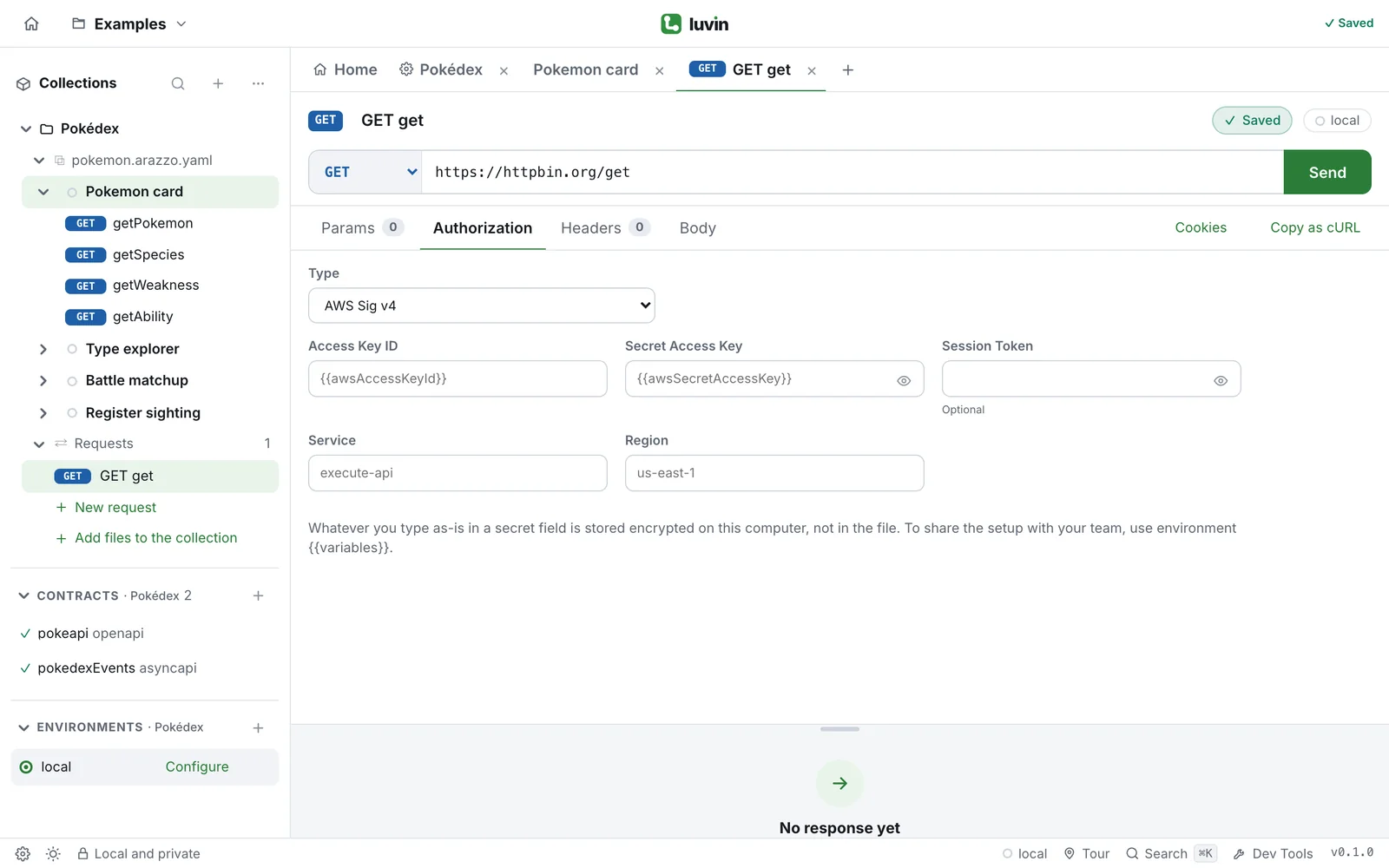
Example
Section titled “Example”An API Gateway endpoint in us-east-1:
GET https://abc123.execute-api.us-east-1.amazonaws.com/prod/petsWith Service execute-api and Region us-east-1, Luvin adds:
X-Amz-Date: 20261117T140322ZAuthorization: AWS4-HMAC-SHA256 Credential=<Access Key ID>/20261117/us-east-1/execute-api/aws4_request, SignedHeaders=host;x-amz-date, Signature=<64 hex characters>Fields
Section titled “Fields”| Field | What to write |
|---|---|
| Access Key ID | The IAM access key ID. |
| Secret Access Key | The secret key. A secret field. |
| Session Token | Optional. For temporary credentials. A secret field. |
| Service | The AWS service. execute-api when empty. |
| Region | The region. us-east-1 when empty. |
What Luvin signs
Section titled “What Luvin signs”| What | Detail |
|---|---|
| Signed | The method, the path, the query parameters in order, the headers host, content-type and every x-amz-*, and the SHA-256 of the body. |
X-Amz-Security-Token |
Added when you fill in Session Token. |
X-Amz-Content-Sha256 |
Added when Service is s3. |
| Scope | The day, Region, Service and aws4_request. |
The date changes on every send, so a signature from a previous send does not work. It replaces an Authorization header you wrote yourself. In Headers the row reads Luvin calculates it when sending (AWS Sig v4).
Secrets
Section titled “Secrets”Secret Access Key and Session Token are secrets: typed as-is they are stored encrypted on your computer. Access Key ID goes to the file as typed; use {{awsAccessKeyId}} if you share the collection. See Secrets.