
Authorization
Credentials of the contract
The credentials that the securitySchemes of a contract ask for, where to fill them in the environment and how Luvin sends each one in workflows.
A contract (OpenAPI) says in its securitySchemes how the API is protected. In workflows, Luvin reads them and asks you for one value per scheme in the Credentials section of the environment. This is the default for every API of a workflow: you do not set anything else.
Example
Section titled “Example”A contract declares:
components: securitySchemes: shopKey: type: apiKey in: header name: X-Shop-Key shopBearer: type: http scheme: bearerIn the environment, Credentials shows one field for shopKey (type apiKey · header "X-Shop-Key") and one for shopBearer (type bearer). With k-123 and abc123 filled in, a protected step goes out with:
X-Shop-Key: k-123Authorization: Bearer abc123Fill them in
Section titled “Fill them in”- Open the environment of the collection.
- In Credentials, find the scheme. Each field shows the scheme name, its type, and the API (source) it belongs to. If two APIs use the same scheme name, the name starts with the API:
shop · shopKey. - Paste the value, or write a secret such as
{{apiKey}}. - Check the counter, for example 1/2 filled. It turns green when all are filled.
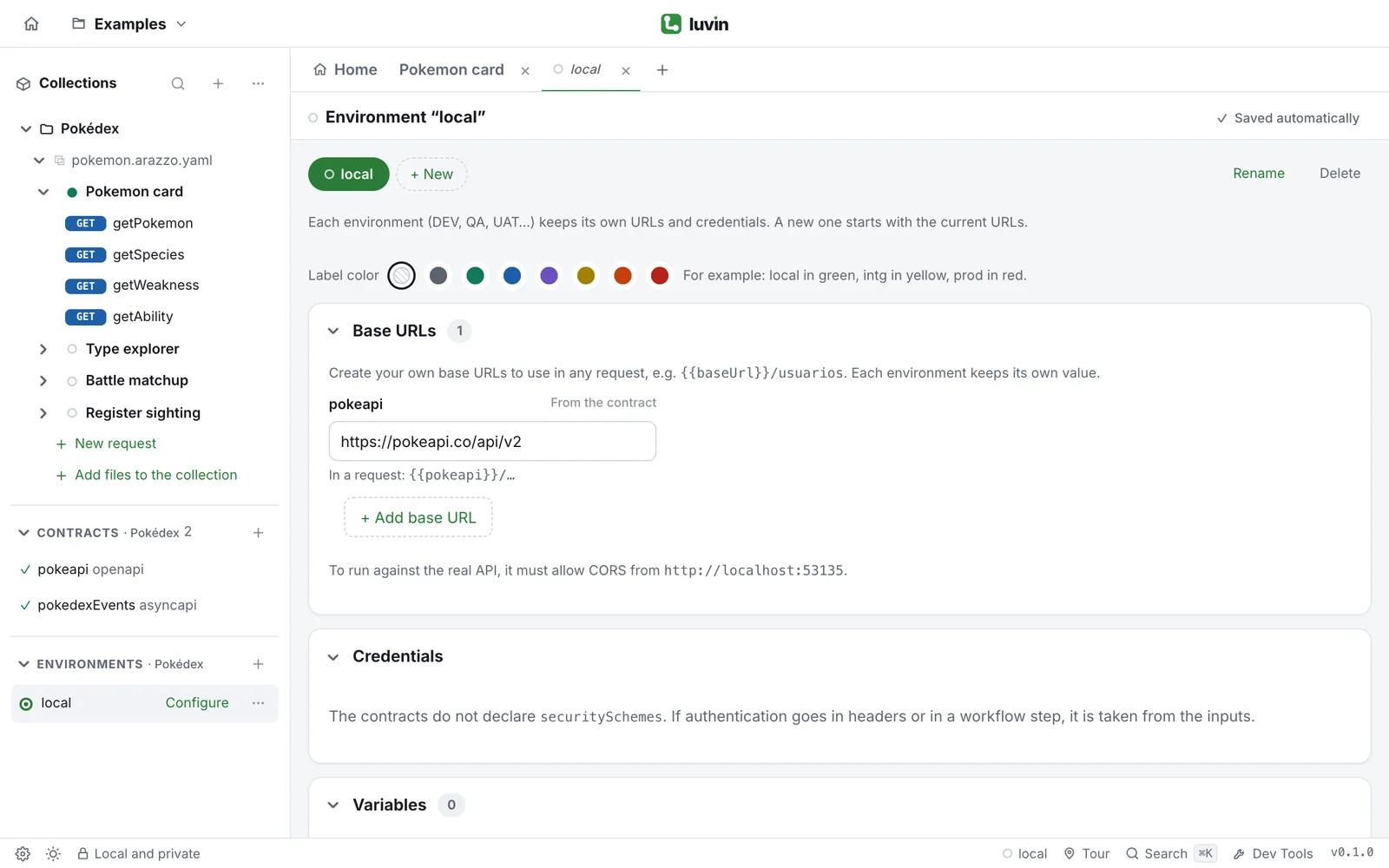
From the contract documentation, Authorize opens the environment. From a workflow card set to From the contract, Open the environment does. Values are stored encrypted on your computer, never in the environment file.
How each type is sent
Section titled “How each type is sent”| Scheme in the contract | What you paste | What Luvin sends |
|---|---|---|
apiKey, in header |
The key | The header named in the contract, with the key. |
apiKey, in query |
The key | The query parameter named in the contract. |
apiKey, in cookie |
The key | A cookie named in the contract. |
http bearer |
The token | Authorization: Bearer <token> (not repeated if you already wrote Bearer ). |
http basic |
user:password |
Authorization: Basic <base64> (a value that already starts with Basic is sent as is). |
oauth2 |
An access token | Authorization: Bearer <token>. |
openIdConnect |
An access token | Authorization: Bearer <token>. |
Luvin does not request the OAuth 2.0 token for you here: you paste one. To have Luvin request and renew it, set OAuth 2.0 in the workflow’s Authorization tab. See OAuth 2.0.
Unsupported security type
Section titled “Unsupported security type”Any other scheme (for example mutualTLS) shows the hint Unsupported security type; it will be ignored. Luvin sends nothing for it. Use the workflow’s Authorization tab or an input if the API needs something else.
When the contract declares nothing
Section titled “When the contract declares nothing”The section says The contracts do not declare securitySchemes. If authentication goes in headers or in a workflow step, it is taken from the inputs. Then the credentials come from the inputs of the workflow, or from an authorization you set in the workflow’s tab.
Good to know
Section titled “Good to know”- If an operation lists several alternatives, Luvin uses the first one that is not empty. The schemes of one alternative are all sent.
- Cases that test a call without credentials go without any of these.
- They apply against the Real API. In simulation no call leaves your computer.
- When you choose any other option in the workflow’s Authorization tab, the steps of that API stop using these credentials.