
Authorization
Where authorization applies
Request, collection, workflow and environment credentials side by side, with the exact clicks to reach each one.
2 min read# Where authorization applies
import { Tabs, TabItem, Steps, Aside } from '@astrojs/starlight/components';
Luvin keeps authorization in four places. Each one answers a different question: which requests, which workflows, which APIs.
## Side by side
| | Request | Collection | Workflow | Environment credentials |
|---|---|---|---|---|
| Covers | One saved request | Requests set to **Inherit from collection** | The steps of a workflow, per API | Steps whose API uses **From the contract** |
| Types | All, plus **Inherit from collection** | All except **Inherit from collection** | All, plus **From the contract** and **Inherit from collection** | One value per `securitySchemes` entry of the contract |
| Saved in | `requests/<name>.request.yaml` | `collection.yaml` | `flow-auth.yaml` | The environment (values encrypted on this computer) |
| Sign-in for OAuth 2.0 | **Get new token** | **Get new token** | **Sign in**, or **Run** | Not applicable: you paste a token |
## How to reach each one
<Tabs>
<TabItem label="Request">
<Steps>
1. Open a request from the sidebar.
2. Click the **Authorization** tab.
3. Choose a **Type**.
</Steps>
Only HTTP and GraphQL requests have this tab.
</TabItem>
<TabItem label="Collection">
<Steps>
1. Click the name of the collection in the sidebar. The collection overview opens.
2. Find the **Authorization** card.
3. Choose a **Type**.
</Steps>
From a request that inherits, **Configure in the collection** takes you to the same card.
</TabItem>
<TabItem label="Workflow">
<Steps>
1. Open a workflow from the sidebar.
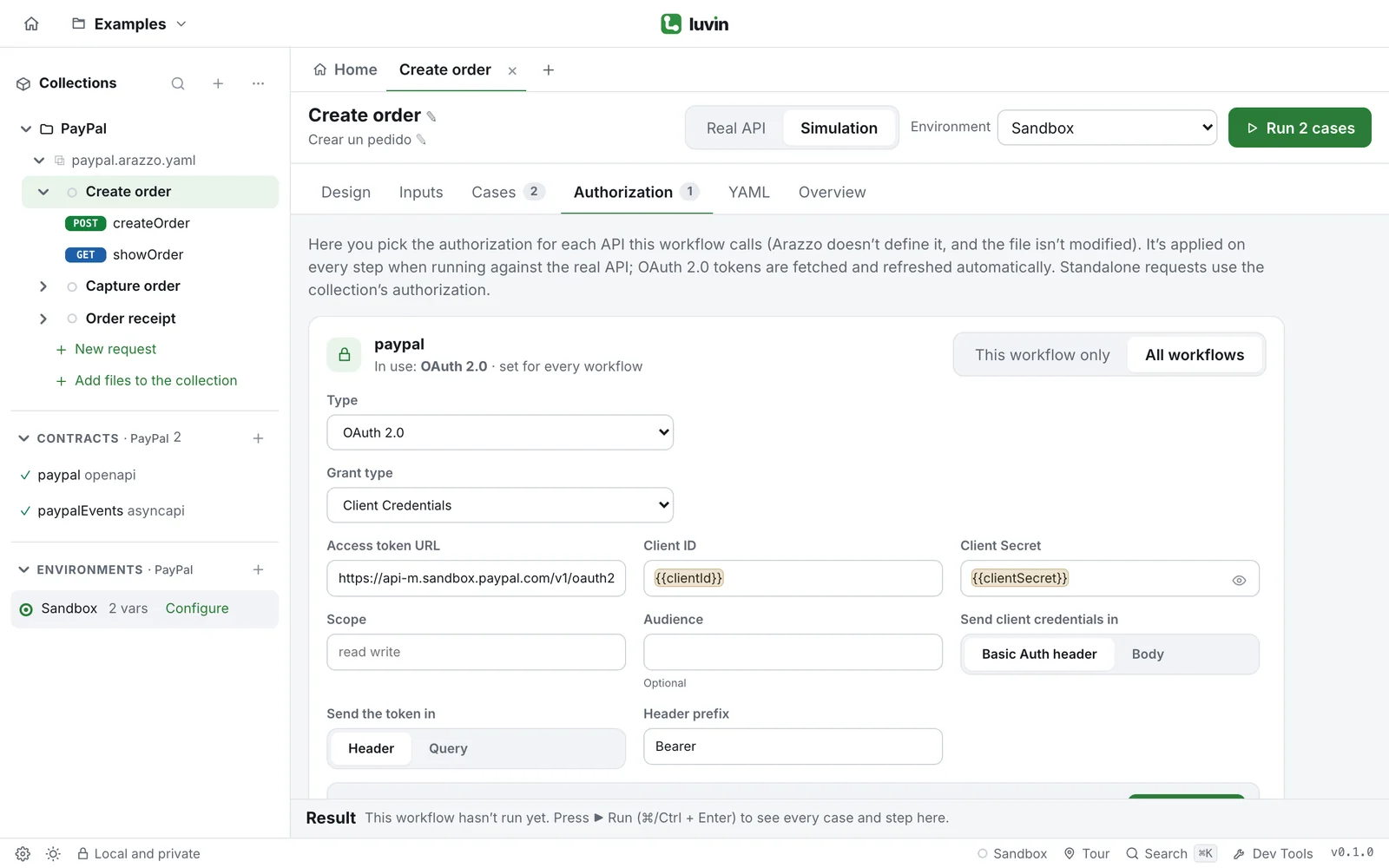
2. Click the **Authorization** tab, next to **Cases**.
3. On the card of an API, choose **All workflows** or **This workflow only**, then a **Type**.
</Steps>
</TabItem>
<TabItem label="Environment">
<Steps>
1. Open the environment of the collection.
2. Open the **Credentials** section and fill in one field per scheme.
</Steps>
From a contract's documentation, **Authorize** opens the same place. From a workflow card on **From the contract**, **Open the environment** does too.
</TabItem>
</Tabs>
## Which one should I use
- **One-off call or exploring an API:** the request.
- **All your saved requests share one login:** the collection, and leave the requests on **Inherit from collection**.
- **A workflow needs a token that expires or is requested at run time:** the workflow tab with **OAuth 2.0**.
- **The contract already says what it needs and a pasted token is enough:** the environment credentials.
The collection's authorization is for single requests. A workflow uses it only if an API is set to **Inherit from collection** in the workflow tab.
<Aside type="note">
Variables such as `{{clientId}}` work in every field of every place. They are replaced with the values of the active environment when you send or run.
</Aside>
## Related
- [Authorization overview](/authorization/overview/)
- [Authorization of the collection](/authorization/collection/)
- [Authorization of a workflow](/authorization/workflow/)
- [Credentials of the contract](/authorization/contract-credentials/)
Luvin keeps authorization in four places. Each one answers a different question: which requests, which workflows, which APIs.
Side by side
Section titled “Side by side”| Request | Collection | Workflow | Environment credentials | |
|---|---|---|---|---|
| Covers | One saved request | Requests set to Inherit from collection | The steps of a workflow, per API | Steps whose API uses From the contract |
| Types | All, plus Inherit from collection | All except Inherit from collection | All, plus From the contract and Inherit from collection | One value per securitySchemes entry of the contract |
| Saved in | requests/<name>.request.yaml |
collection.yaml |
flow-auth.yaml |
The environment (values encrypted on this computer) |
| Sign-in for OAuth 2.0 | Get new token | Get new token | Sign in, or Run | Not applicable: you paste a token |
How to reach each one
Section titled “How to reach each one”- Open a request from the sidebar.
- Click the Authorization tab.
- Choose a Type.
Only HTTP and GraphQL requests have this tab.
- Click the name of the collection in the sidebar. The collection overview opens.
- Find the Authorization card.
- Choose a Type.
From a request that inherits, Configure in the collection takes you to the same card.
- Open a workflow from the sidebar.
- Click the Authorization tab, next to Cases.
- On the card of an API, choose All workflows or This workflow only, then a Type.
- Open the environment of the collection.
- Open the Credentials section and fill in one field per scheme.
From a contract’s documentation, Authorize opens the same place. From a workflow card on From the contract, Open the environment does too.

Which one should I use
Section titled “Which one should I use”- One-off call or exploring an API: the request.
- All your saved requests share one login: the collection, and leave the requests on Inherit from collection.
- A workflow needs a token that expires or is requested at run time: the workflow tab with OAuth 2.0.
- The contract already says what it needs and a pasted token is enough: the environment credentials.
The collection’s authorization is for single requests. A workflow uses it only if an API is set to Inherit from collection in the workflow tab.