
Tutorials
Prove your API rejects bad data
Run the rejection cases Luvin generates, choose which status each one must return, add a case with your own data and share the results as an HTML report.
A good API accepts what is valid and rejects what is not. You will run the cases that check the second half in the Pokédex example, decide what “rejected” means for your API, add a case of your own and export a report. You need about 20 minutes and an internet connection. No credentials are needed.
1. Know the rejection cases
Section titled “1. Know the rejection cases”Luvin generates these cases from the contract and the workflow. They are in the Cases tab, in the groups Data validation and Security.
| Case | What it sends | When it exists |
|---|---|---|
| Without the required input “…” | Leaves out one required input. | An input that is required, and not in the path of the URL. |
| “…” with … | A wrong value: outside the allowed options, text instead of a number, or a value that breaks the pattern. | An input with allowed options, a number or yes/no type, or a pattern. |
| Without credentials | No credentials. The first protected step must answer 401 or 403. | A contract protects at least one step. |
All of them need the Real API: in Simulation Luvin does not validate what you send, so they show Will not run. See Cases.
The Pokédex has no credentials, and its inputs go in the URL path, so it only generates the second kind. The PayPal example generates the three: Create order has a required amount in the body and a protected API. See Test a payment flow with OAuth 2.0.
2. Open a workflow with a rejection case
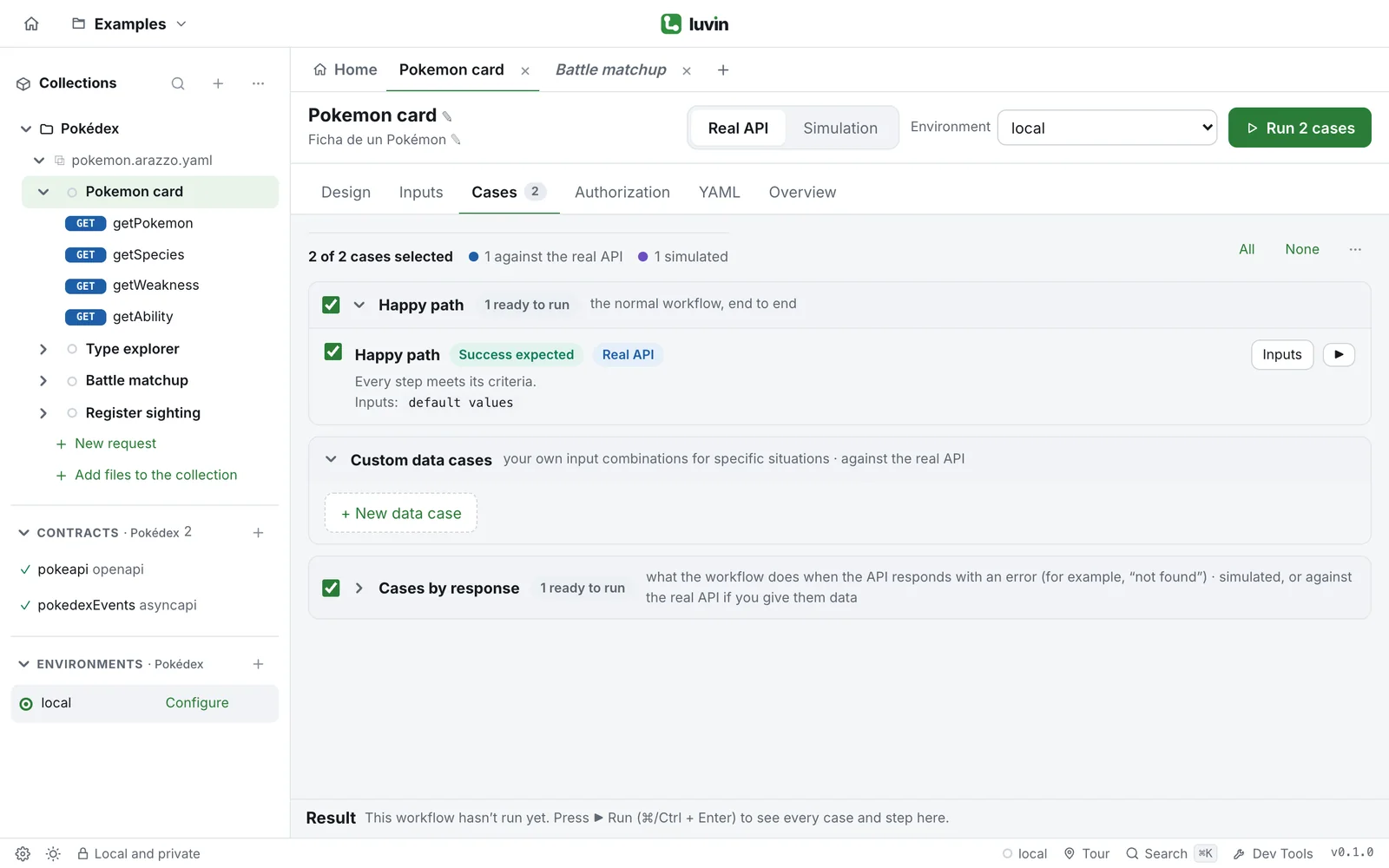
Section titled “2. Open a workflow with a rejection case”- Open the Pokédex example. See the Quick start.
- Click Type explorer in the sidebar and open the Cases tab.
Its input type only allows 18 type names. Luvin generated the case “type” with a value outside the enum in the group Data validation. Next to it you see Rejection expected, and Real API.
3. Choose the status it must return
Section titled “3. Choose the status it must return”Under the case, the line Status «getType» must respond: lists the statuses that count as a rejection.
- Look at the statuses. A dot marks the ones the contract documents for that step. For
getTypeit documents 404, so Luvin suggests it. - Read the line next to it: If it responds otherwise: warning. Luvin suggested the status, so a different answer does not fail the case.
- Click
404. The line changes to If it responds otherwise: error.
Now you decided: it is what you state about your API. If you choose nothing, any 4xx counts. A status that is not in the list goes in Other (Enter). Back to the suggestion undoes your choice. See Adjust a case.
| Who chose the status | If the API answers something else |
|---|---|
| Luvin, in a Data validation case | Warning: the workflow still works, but review it. |
| You | Failed |
| Without credentials | Failed |
4. Run the rejection case
Section titled “4. Run the rejection case”- Click None, at the top right, to untick every case.
- Tick “type” with a value outside the enum.
- In the run bar, choose Real API and click Run.
The results open at the bottom and the case ends as Passed.
5. Read why it passed
Section titled “5. Read why it passed”- Click the case in the list. The row What it checks says what the case does differently: it sends an invalid value in
type. - Click Show values sent to see the value that was sent.
- Under the detail, open the card
getType.
The card shows the badge Responded 404 (expected) and a note, This is what the case tests, with the message of the API after The API said:. The step is shown as passed because the error is what the case wants. The steps after it say they did not run, and why. See Read a step result.
6. Add a case with your own data
Section titled “6. Add a case with your own data”The generated cases do not know your business rules. Add one for a situation of your own.
- Open Pokemon card and its Cases tab.
- In the group Custom data cases, click + New data case.
- In Case name, type
Unknown Pokémon. - In Step to check, choose
getPokemon. - In Expected action (optional), choose
pokemonNotFound (end), and in Expected status, type404. - Under Case inputs, type
QA-{{number:6}}inpokemon. - Click Add case.
{{number:6}} is a generator: Luvin replaces it with six random digits on every run, so the name never repeats. The same works for {{uuid}} and {{$randomEmail}}. See Custom data cases.
Untick the other cases and click Run. A custom data case always runs against the real API. It ends as Passed when getPokemon answers 404 and the action pokemonNotFound fires. Click Show values sent to see the value the generator produced.
7. Export the report
Section titled “7. Export the report”- In the header of the results, click Report.
- Your browser or the desktop app downloads a file named
report-<title>-<date>.html.
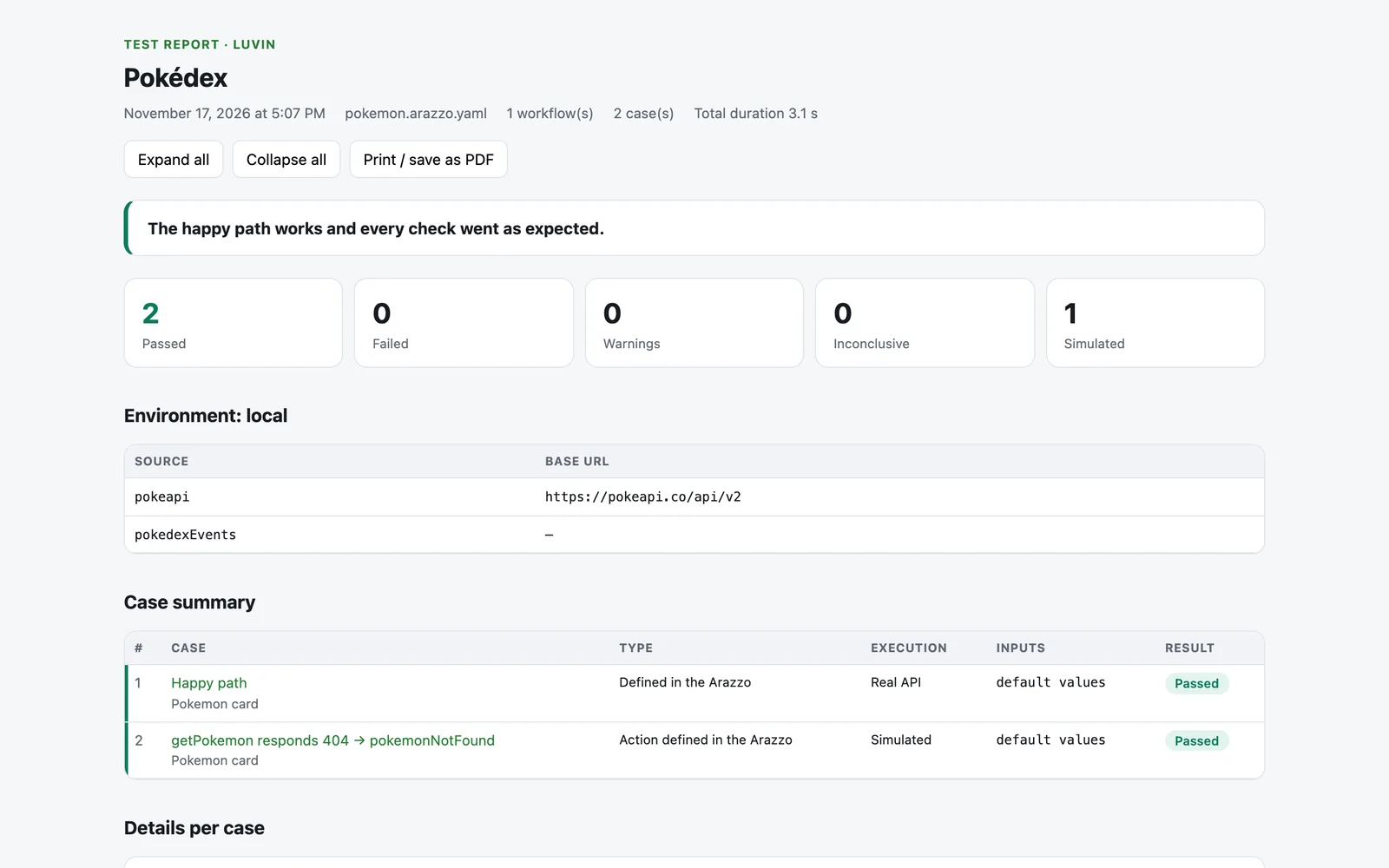
The file has a summary in plain words, the counters, the environment, a table of cases and the detail of each one. It is a single file: whoever receives it opens it in any browser, with no Luvin. Secrets and sensitive fields appear as ••••, but other data in the requests and responses is in the report as it was sent. Read it before you send it outside your team. See Reports.
What you learned
Section titled “What you learned”- The rejection cases check that the API refuses a missing input, an invalid value and a request with no credentials.
- They need the Real API.
- A status suggested by Luvin gives a Warning when the API differs. A status you choose gives Failed.
- A step that answers the expected error is shown as passed.
- Custom data cases and generators cover your own rules.
- Report exports everything as one HTML file.