
Get started
Bring your own files and requests
Import Arazzo files and contracts, collections from Postman or Bruno, and a cURL command into Luvin, or open files without creating a workspace.
You do not have to start from nothing. You can bring Arazzo files and contracts, collections from Postman or Bruno, and a command copied as cURL.
An Arazzo file describes a workflow. A contract is an OpenAPI or AsyncAPI file. A collection is a project folder inside a workspace. See the glossary.
Example: a Postman collection
Section titled “Example: a Postman collection”A small collection exported from Postman:
{ "info": { "name": "Shop API", "schema": "https://schema.getpostman.com/json/collection/v2.1.0/collection.json" }, "item": [ { "name": "Customers", "item": [ { "name": "Get customer", "request": { "method": "GET", "url": "{{baseUrl}}/customers/42", "header": [{ "key": "Accept", "value": "application/json" }] } } ] } ]}Import it with an environment file that defines baseUrl, and Luvin creates a collection called Shop API:
Directoryshop-api/
- collection.yaml
Directoryrequests/
Directorycustomers/
- _folder.request.yaml
- get-customer.request.yaml
Directoryenvironments/
- sandbox.yaml
In the sidebar, Customers is a folder and Get customer a request that sends GET {{baseUrl}}/customers/42. The variables of the Postman environment arrive in a Luvin environment. See What is on disk.
Import it
Section titled “Import it”You need a workspace open. If none is, Luvin says Open or create a workspace to import. See Create and open a workspace.
-
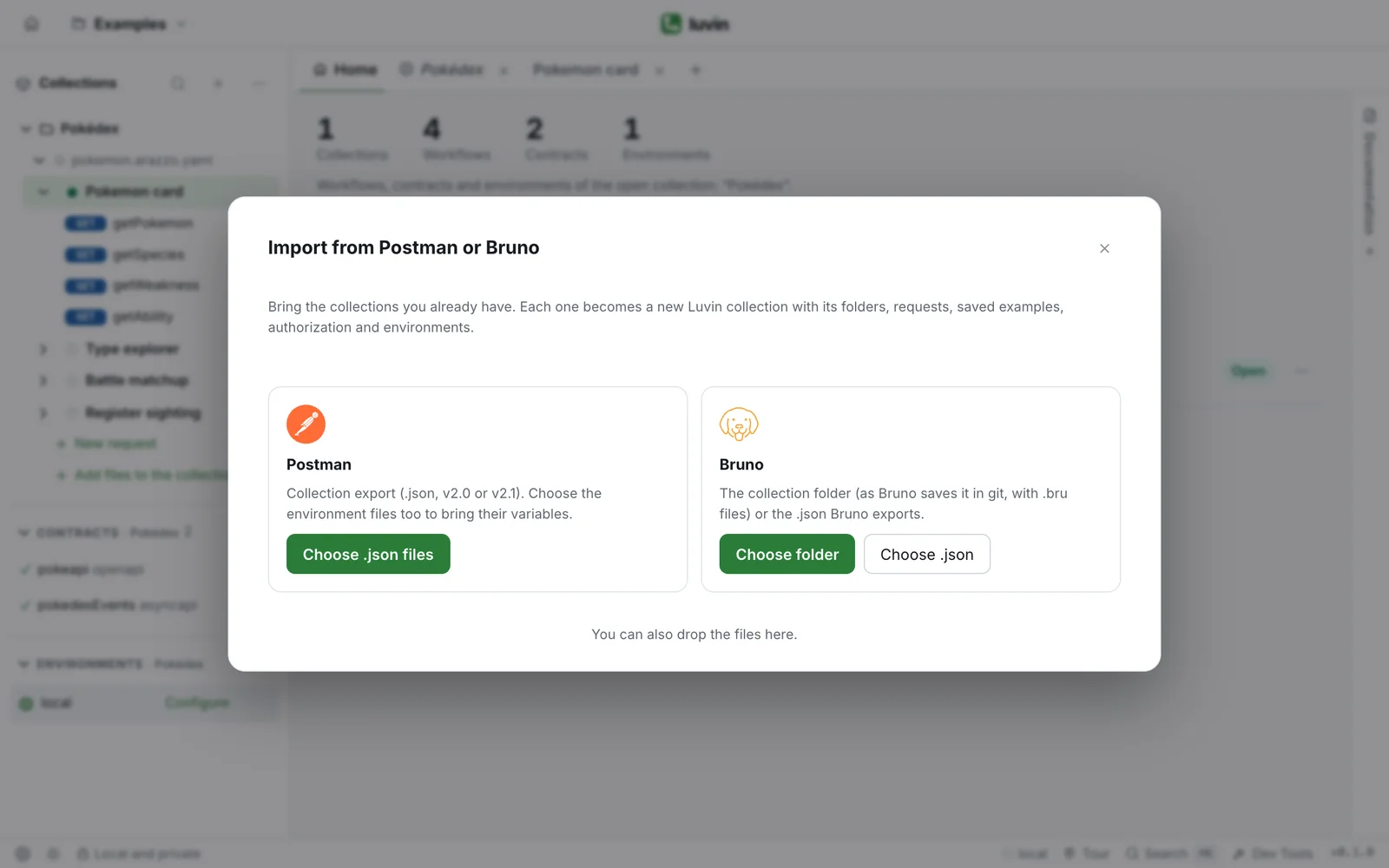
Click + in the tabs (Create or import), then Import from Postman or Bruno. The same action is in the ⋯ menu of Collections in the sidebar and on the workspace home under Quick actions.
-
Choose what to import:
Tool What to choose Postman Choose .json files: the exported collection (v2.0 or v2.1). Choose the environment files too, to bring their variables Bruno Choose folder: the collection folder as Bruno keeps it in git (with .brufiles). Or Choose .json for the file Bruno exportsYou can also drop the files on the dialog.
-
Read the summary. For each collection it shows the number of requests, folders, examples and environments, and the collection authorization if there is one.
-
Change the collection name if you want.
-
Click Import (N requests).
To pick other files, click Choose other files.
What is imported and what is not
Section titled “What is imported and what is not”| Imported | Not imported (the summary lists it before you import) |
|---|---|
| Folders and requests, with descriptions | Scripts (pre-request and tests). Luvin checks responses with success criteria |
| Saved examples | Authorization types with no equivalent: those requests have no authorization |
| Authorization of the collection, folder and request | Body types with no equivalent: the body is left empty |
| Environments and their variables | Variables with an invalid name, and disabled variables |
| Collection variables |
- A variable marked as secret stays a secret. Bruno does not save its secrets’ values, so they arrive empty: type them again in the environment.
- Collection variables are added to every environment that does not define them. If no environment came, Luvin creates one called
local.
Arazzo files and contracts
Section titled “Arazzo files and contracts”You need a collection open first. Luvin adds the files to it. Files can be .yaml, .yml or .json.
- Open the workspace home with the house icon in the top bar.
- Under Quick actions, click Import Arazzo or contracts.
- Choose one or more files.
The button only appears when a collection is open. A collection with no Arazzo shows the same advice.
- In Contracts, click + (Add contract).
- Click Import contract….
- Choose the file.
- Drag the files from your file explorer onto the Luvin window. It says Drop to add to “collection name”.
- Drop them. A message says how many were added, for example Added 3 file(s) to the collection.
With no collection to receive them, the message is Open or create a collection to add files to it. Other file types are skipped and Luvin says how many.
A cURL command
Section titled “A cURL command”A cURL command is a request written as text, like the ones Chrome, Postman or an API’s documentation let you copy.
curl -X POST 'https://api.shop.test/customers' \ -H 'Content-Type: application/json' \ --data-raw '{"name":"Ana"}'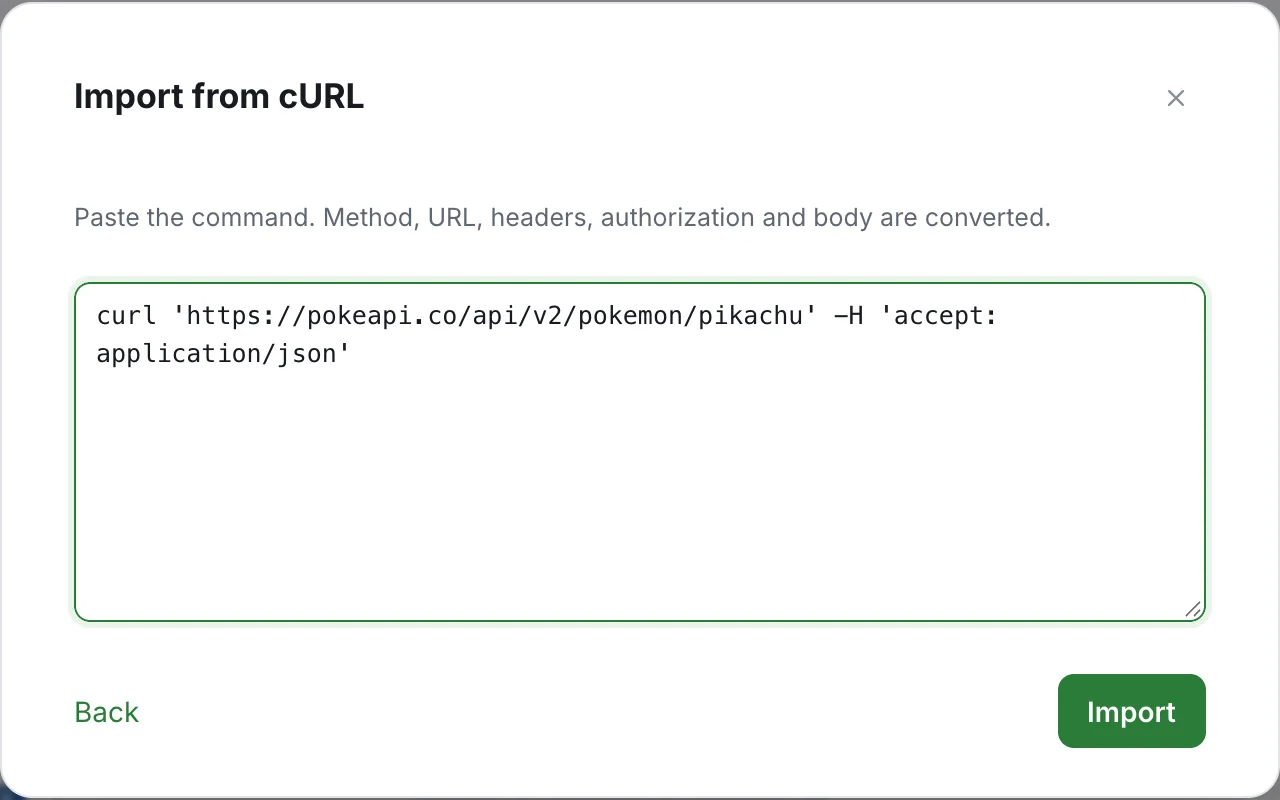
- Click + in the tabs (Create or import), then New request.
- Click Import from cURL.
- Paste the command. The method, URL, headers, authorization and body are converted.
- Click Import.
The command must start with curl and include a URL. Otherwise Luvin says it does not look like a valid cURL command. The sidebar menus for requests also offer Import from cURL. To copy a step as cURL, see cURL.
Open files without a workspace
Section titled “Open files without a workspace”To try something quickly, open files with no workspace.
- On the welcome screen, click Open files without a workspace, at the bottom. The browser opens a file picker; the desktop app opens a folder picker.
- Choose your contracts, your Arazzo files and the files their
$refpoint to. You can also drop them on the welcome screen.
If you close the welcome screen with I’ll explore on my own, the empty screen offers Open files and, in the desktop app, Open folder. A folder loads every YAML and JSON file inside it and its subfolders. If it has many files, only the first 300 load, and Luvin says so.