
Environments
Base URLs, variables and secrets
How to fill in an environment, use its values as {{name}}, and what Luvin does and does not write to the files.
An open environment has four sections: Base URLs, Credentials, Variables and Secrets. You use their values with {{name}}.
Example: the PayPal sandbox environment
Section titled “Example: the PayPal sandbox environment”This is the file Luvin writes for it, in the environments/ folder of the collection:
# Ambiente de Luvin. Los valores de secretos y credenciales no se guardan aquí: viven cifrados en cada equipo.name: Sandboxcolor: yellowservers: paypal: https://api-m.sandbox.paypal.comvariables: clientId: my-sandbox-client-idsecrets: - clientSecretEvery {{name}} in a field is replaced with the value of the active environment:
| You write | Luvin sends |
|---|---|
{{paypal}}/v2/checkout/orders |
https://api-m.sandbox.paypal.com/v2/checkout/orders |
Client ID {{clientId}} |
my-sandbox-client-id |
Client Secret {{clientSecret}} |
The secret’s value. In results, reports and Dev Tools it shows as •••• |
The file lists the name clientSecret but never its value. The first line is a comment the app writes in Spanish, whatever the interface language.
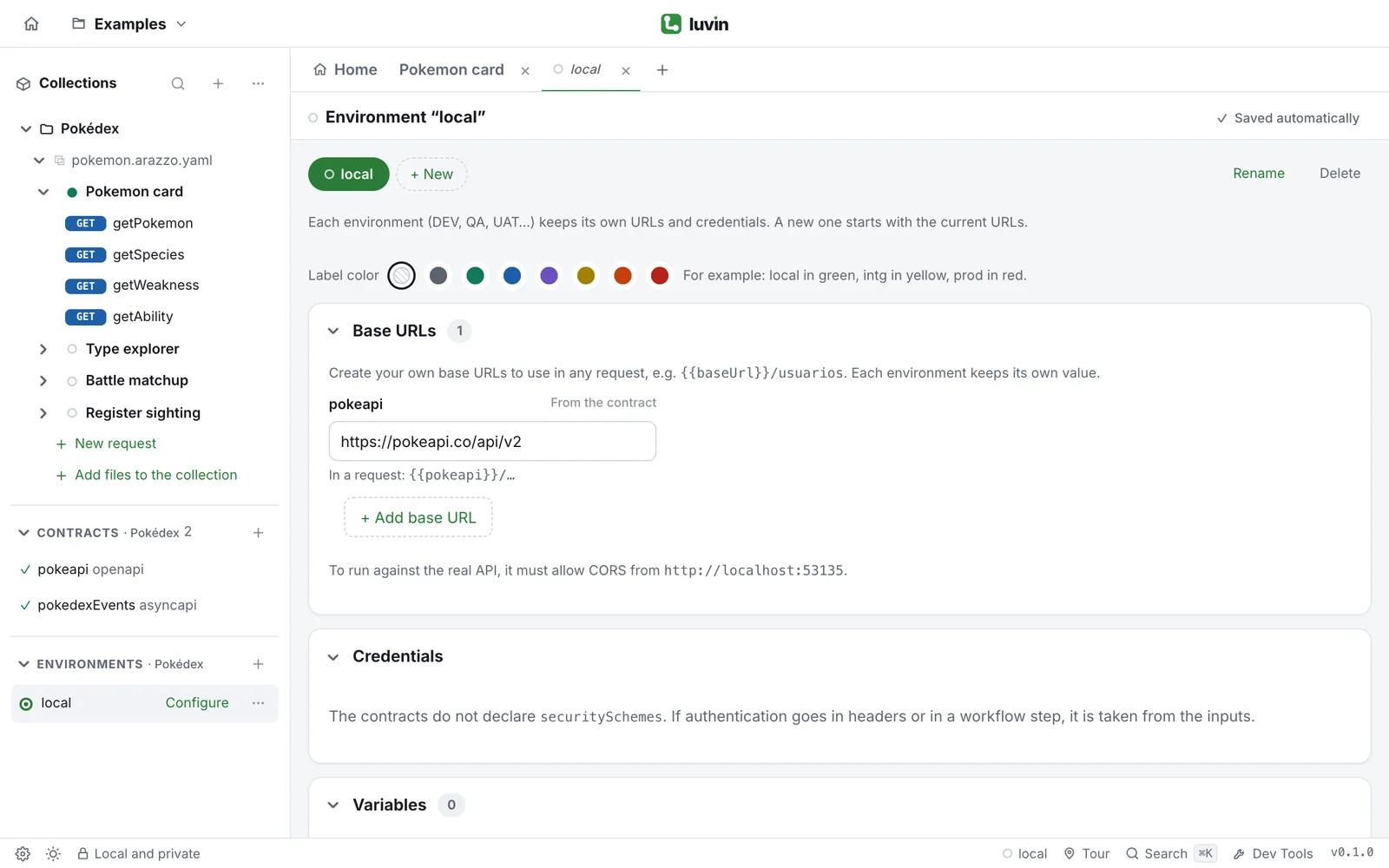
Base URLs
Section titled “Base URLs”A base URL is the address every call to one API starts with.
- One per contract. Each OpenAPI contract of the collection has a field marked From the contract. It starts with the server written in the contract. Change it to point this environment elsewhere.
- Your own. Click + Add base URL to create one for single requests. It starts as
baseUrl; type another name if you want. Each environment keeps its own value.
Under each base URL, Luvin shows how to use it, for example {{baseUrl}}/users. AsyncAPI contracts have no base URL here, because messaging steps are simulated.
Variables
Section titled “Variables”A variable is a value with a name that changes per environment: a client ID, a partner code, a test user.
- In Variables, click + Add variable.
- Type the Name and the Value.
- Use it as
{{clientId}}in any field.
A name uses letters, digits, _, . or -, no spaces, and starts with a letter or _. Two variables cannot share a name.
When you type {{ in a field, Luvin suggests the variables of the active environment, its base URLs and the dynamic variables. Each {{name}} is colored: green if the variable exists, red if not. Hover it to see or change its value. If it does not exist, the card offers Create variable and Create secret.
Where {{name}} is replaced
Section titled “Where {{name}} is replaced”| Where | Example |
|---|---|
| Base URLs | https://{{region}}.api.shop.test |
| Credentials | {{apiKey}} |
| Inputs and the data of each case | customerId: {{testCustomer}} |
| Values of a step | a parameter or a field of the body |
| Single requests | URL, params, headers and body |
| Authorization | Client ID, Client Secret, token, password |
A name that is not a variable or a generator is left as written.
Secrets
Section titled “Secrets”A secret is a variable for keys, tokens and passwords. You use it the same way, as {{apiKey}}.
- In Secrets, click + Add secret.
- Type the Name and the Value. The value is hidden; click the eye to show it.
| What makes it different | Detail |
|---|---|
| Never in the files | The environment file lists only the names |
| Encrypted on this computer | OS keychain in the desktop app, WebCrypto in the browser |
| Without a workspace | The value is not saved. You type it again next time |
| Masked | •••• in results, reports, Dev Tools and exports. <secret> in a copied cURL |
Credentials
Section titled “Credentials”Credentials lists what the collection’s contracts declare under securitySchemes. A badge shows how many are filled, for example 1/2 filled.
| Type in the contract | What to type |
|---|---|
| bearer | The token. Sent as Authorization: Bearer … |
| basic | user:password. Luvin encodes it in Base64 |
| apiKey | The API key. It goes in the header, query or cookie the contract names |
| oauth2, openIdConnect | An access token. Sent as Bearer |
Paste the value or point to a secret: {{apiKey}}. Credentials are stored like secrets: encrypted on this computer, never in the files.
If one is missing when you run against the real API, a notice above the workflow says so and Fill in opens the environment. Calls that need it will answer 401. To have Luvin request an OAuth 2.0 token for you, use the Authorization tab of the workflow.