
Send requests
HTTP requests
Send your first HTTP request with a GET and a POST against a public API, and learn the methods, the URL bar and how to read the answer.
An HTTP request is the everyday request: one call to a REST API with a method and a URL. Follow the two examples below to send one yourself in a few minutes. You do not need an account or a contract.
Example 1: read a post with GET
Section titled “Example 1: read a post with GET”JSONPlaceholder is a free practice API. This request reads post number 1.
- In the sidebar, open your collection and click New request. The New request dialog opens.
- Choose HTTP. A request named New request opens in its own tab, with the method GET.
- Click the URL field and write
https://jsonplaceholder.typicode.com/posts/1. - Press Send (⌘/Ctrl + Enter). The response opens below the request.
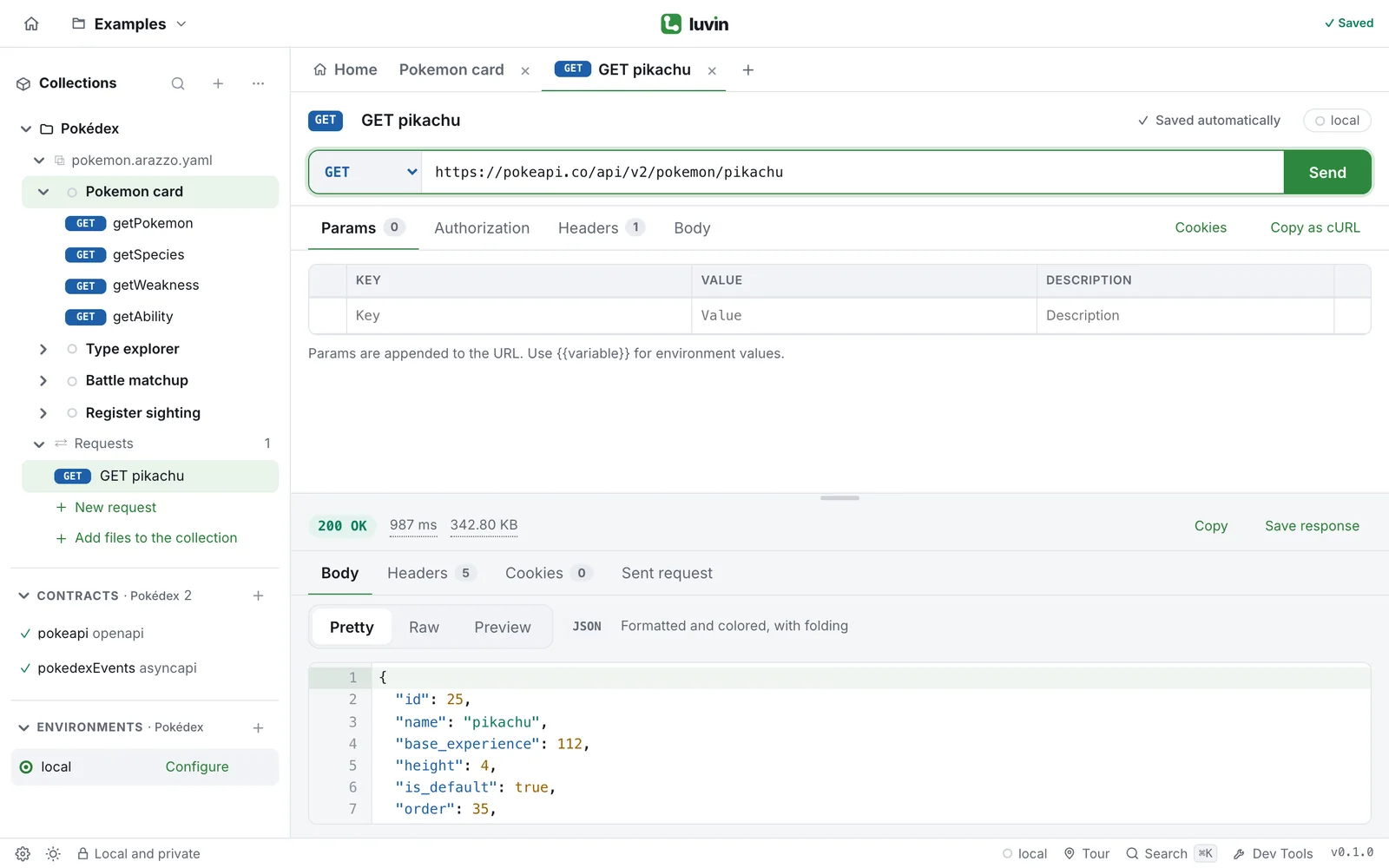
The status bar says 200 OK, followed by the time and the size. The Body tab holds the answer:
{ "userId": 1, "id": 1, "title": "sunt aut facere repellat provident occaecati excepturi optio reprehenderit", "body": "quia et suscipit\nsuscipit recusandae consequuntur expedita et cum\nreprehenderit molestiae ut ut quas totam\nnostrum rerum est autem sunt rem eveniet architecto"}The same call in a terminal, to compare:
curl https://jsonplaceholder.typicode.com/posts/1Example 2: create a post with POST
Section titled “Example 2: create a post with POST”A POST sends data to the API. This one creates a post.
-
Click New request and choose HTTP, as before.
-
Open the method menu (it says GET) and choose POST.
-
Write the URL
https://jsonplaceholder.typicode.com/posts. -
Open the Body tab and choose JSON in the menu at the top.
-
Write the body in the editor:
{"title": "Hello Luvin","body": "My first post","userId": 1} -
Press Send (⌘/Ctrl + Enter).
The status is 201 Created, and the body echoes your post with an id that the API gave it:
{ "title": "Hello Luvin", "body": "My first post", "userId": 1, "id": 101}Luvin added the header Content-Type: application/json for you, because the body type is JSON. Open Sent request in the response to see every header that went out.
Method POST, URL https://jsonplaceholder.typicode.com/posts, Body → JSON with the text above.
curl -X POST 'https://jsonplaceholder.typicode.com/posts' \ -H 'Content-Type: application/json' \ --data-raw '{ "title": "Hello Luvin", "body": "My first post", "userId": 1}'The methods
Section titled “The methods”The method tells the API what you want to do. Choose it in the menu at the left of the URL.
| Method | Typical use |
|---|---|
| GET | Read data. No body is sent. |
| POST | Create something, or send data to process. |
| PUT | Replace something that exists. |
| PATCH | Change part of something that exists. |
| DELETE | Remove something. |
| HEAD | Like GET, but the API answers with the headers only. No body is sent. |
| OPTIONS | Ask what the API allows. |
The URL bar
Section titled “The URL bar”| You write | What Luvin does |
|---|---|
{{baseUrl}}/posts/1 |
Replaces {{baseUrl}} with the value of the active environment when you send. Switch environment and the same request goes to another server. |
https://api.example.com/posts?userId=1 |
Moves what follows ? to the Params tab, and keeps both in sync. |
api.example.com/posts |
Adds http:// in front when you leave out the scheme. |
https://api.example.com//posts |
Collapses repeated slashes in the path to one. |
| A pasted cURL command | Fills the whole request. See cURL. |
Type {{ in the field to pick a variable. See Variables and secrets.
Send stays disabled while the URL is empty. While a request is on its way the button becomes Cancel.
Read the answer
Section titled “Read the answer”- Status.
2xxmeans success,4xxmeans the request has a problem,5xxmeans the server failed. Luvin colors each family. - Body. The answer. Pretty formats it, Raw shows it as it came.
- Headers and Cookies. What the API sent besides the body.
- Sent request. What Luvin really sent, to check your own side.
Every part of the response is explained in Read a response in detail.